Run it yourself
Run it on your computer
Start the demo stack with Docker and look at the Grafana dashboard. The traffic is simulated, produced by a small generator that ships with the project.
- Docker with Compose installed and running.
- About 1.7 GB of free memory (1.6 GB measured with
docker stats). - About 7 minutes before the first results show, because Flagsmith computes results at most every 5 minutes.
Get the code
Download the project (on the repository page: Code, then Download ZIP) or clone it, then open a terminal in the folder. Open the repository
cd t3-observability-bridgeStart it
This builds and starts Flagsmith, the bridge, Prometheus, Grafana and the traffic generator. The first build takes a few minutes.
make upOpen Grafana
Open this address in your browser. No login is needed. Choose the dashboard Experiment Observability Bridge.
http://localhost:8314What you should see
After about 7 minutes the panels fill in: status tiles, exposures and conversion rate per arm, and a verdict per metric. Until then they are empty. That is expected.
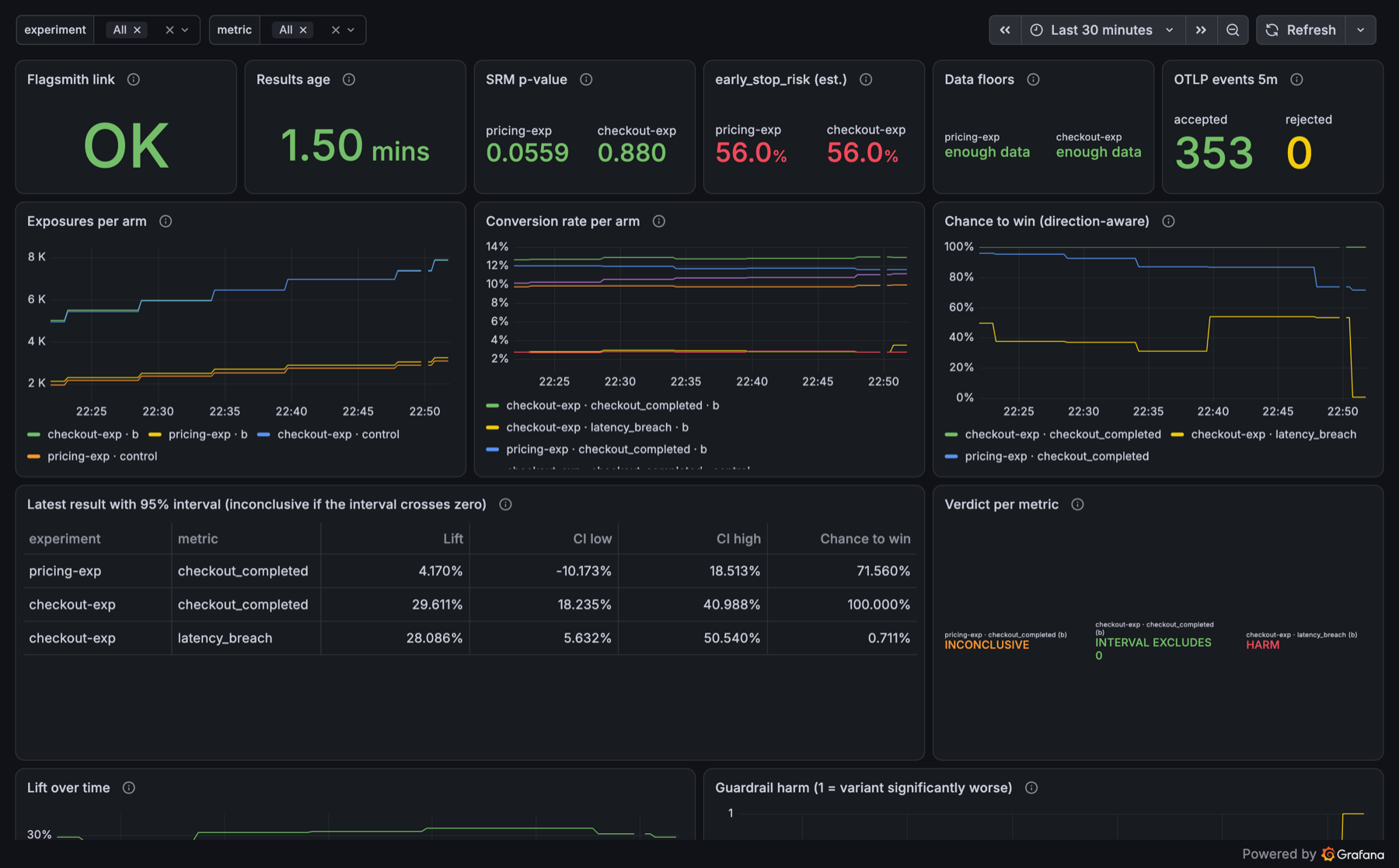
make slow; it is not a finding. The screenshot predates 29 Nov, so the harm panel still shows its old title. The current dashboard calls it "Guardrail harm (1 = variant worse beyond its 95% interval)" (wording only, same query).To check the stack, run make check in the project folder about 7 minutes after make up. It runs the unit tests, sends one OTLP span end to end and runs doctor.
If it does not work
- A port is already in use. Pick another Grafana port, then open that port instead of 8314.
GRAFANA_PORT=18314 make up - The panels are empty. Wait until about 7 minutes after
make up.make doctorsays what it is still waiting for. - Something is stuck. Look at the logs with
make logs, or delete everything and start again.make down && make up
Back to the overview. To stop the demo and delete its data, run make down. Using your own Flagsmith is described in docs/USE-WITH-YOUR-FLAGSMITH.md in the repository.